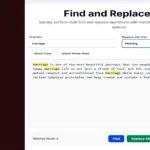
Online Photo Resizer

Online Photo Resizer Tool Interface

Easily resize your photos with our intuitive online tool.

Online Photo Resizer Tool / ऑनलाइन फोटो रिसाइजर टूल

Features / विशेषताएं

  • Client-Side Resizing: Resizes images directly in your browser for privacy and speed, without uploading to a server.
  • Multiple Formats: Supports JPEG, PNG, and GIF images.
  • Aspect Ratio Maintenance: Option to keep the original aspect ratio to avoid distortion.
  • Percentage or Pixel Resize: Resize by percentage or specific width/height in pixels.
  • Preview: See the resized image before downloading.
  • Bilingual Support: Interface in English and Hindi for broader accessibility.
  • Responsive Design: Works on desktops, tablets, and mobiles.
  • Error Handling: Validates image files and provides clear messages.

Usage Instructions / उपयोग निर्देश

  1. Drag and drop an image or click to browse and select a photo (JPEG, PNG, or GIF).
  2. Enter the new width and height in pixels, or select a percentage scale.
  3. Check "Maintain Aspect Ratio" to automatically adjust dimensions proportionally.
  4. Click "Resize Image" to process and preview the resized photo.
  5. Click "Download Resized Image" to save the file.
  6. Note: Original image quality may affect the result; large images may take longer to process.

Drag & drop image here or click to browse / इमेज यहाँ ड्रैग करें या ब्राउज़ करें